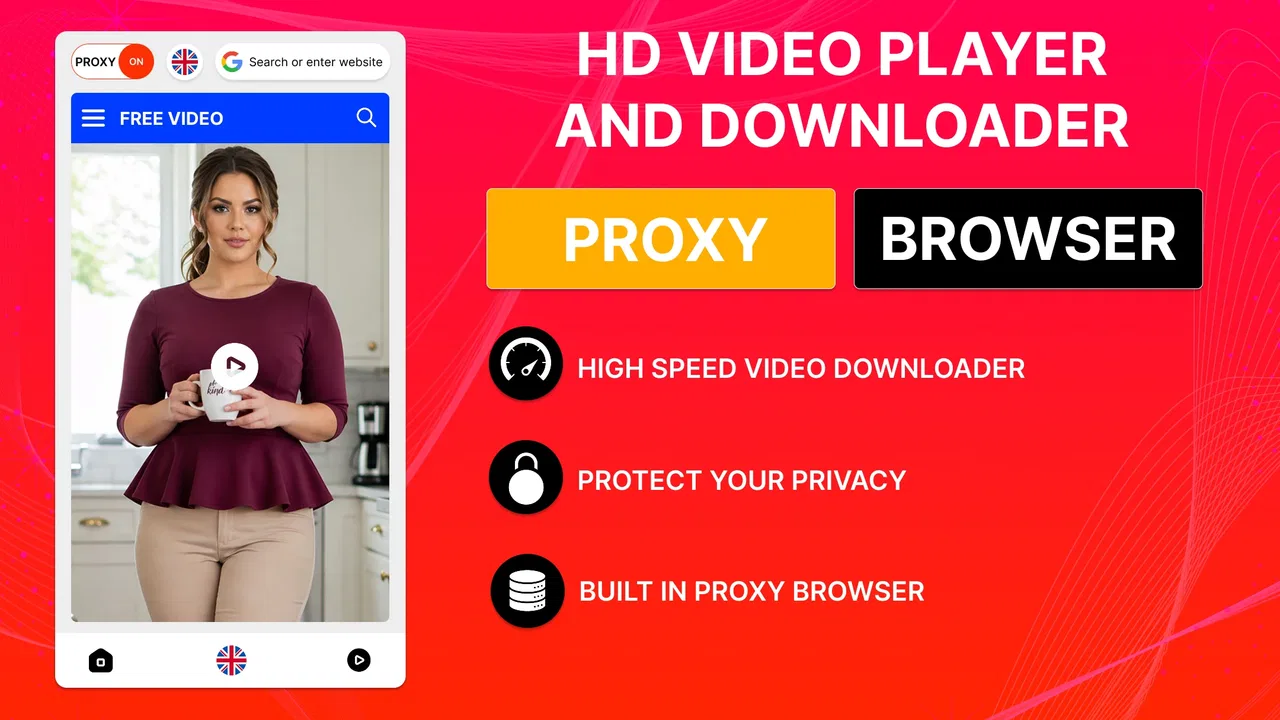
HD Video Player & Downloader
- 3.5
- Rating
- 1.00M
- Installs
- Free
- Price

 Analysis by App-foxy
HD Video Player & Downloader is the kind of app I would consider when I want a straightforward way to handle online video on a phone rather than a full editing suite. Developed by Breed Vision, it sits in the video players and editors category, but its appeal is much narrower and more practical: it focuses on getting video into a convenient viewing workflow and opening it with an HD-oriented player. I found that focus useful, although it also means the experience depends heavily on the quality of the connection and on what I expect from a downloader.
The app is free and available for Everyone, which makes it approachable for casual users. Its current version is 9.0.0, and it requires Android 11 or later. That system requirement is worth checking before installing, especially if you keep an older phone as a spare device. The app has passed the one-million-install mark and holds an average rating of 3.5 from roughly 1.7 thousand ratings, so I would describe it as established but not universally loved. That matches my overall impression: the central idea is easy to understand, yet the details of network use and recovery matter more than the short store description suggests.
How the connection changes the experience
The first thing I noticed is that this is not an app I judge only by its player controls. A video downloader lives or dies by the journey before playback: discovering the video, starting the transfer, waiting for it to finish, and knowing what happened if the connection changes. When the network is stable, the workflow feels direct. I can move from wanting to watch something to watching it without switching between several unrelated tools, which is the main reason I see value in this app.
You May Also Like

 Blood Strike: 2.5 Anniversary
Blood Strike’s Loadouts Turn Every Drop Into a Tactical Gamble
A close look at Blood Strike’s custom loadouts: how fast access to signature weapons reshapes its battle royale rhythm, rewards preparation, and narrows the gap between fights.

 Pandora - Music & Podcasts
Pandora’s Music Is Easy to Start, but Harder to Recover
Pandora’s strength is its low-effort path from a seed to a station. Its weak spot is how much confidence it asks you to place in connection, setup, and quiet recovery.

 8 Ball Pool
 Is Built on Rivalries, Rematches, and Routine
A close look at the rivalries, rematches, shared routines, and unanswered safety questions that turn a quick pool match into a persistent mobile community.

 Samsung Music
’s Quiet Strength Is Playing What You Already Own
Its reach comes less from spectacle than from dependable access to a personal library. That simplicity is both the app’s strongest retention engine and its ceiling.

 AccuWeather: Weather Radar
AccuWeather Review: A Quick, Clear Forecast for Everyday Decisions
For everyday plans, the best forecast is the one you can understand quickly. AccuWeather makes rain timing, radar, and local conditions easy to act on, with a few trade-offs.

 Hill Climb Racing
Why Hill Climb Racing Still Turns Crashes Into One More Run
A tiny car, a bumpy hill and one more upgrade: Hill Climb Racing keeps resurfacing because its simple chaos makes every near-miss feel personal.
More From Our News Desk



That convenience is especially noticeable on a reliable home connection. I might find a video while browsing, send it through the downloader, and then use the built-in player instead of opening a separate media application. The fewer handoffs, the less likely I am to lose track of the file or forget where it went. This is a small advantage, but it is the sort of advantage that becomes meaningful when I repeat the same task several times a week.
On a weak mobile signal, however, the app becomes more dependent on patience. A downloader cannot make an unstable connection behave like a fast one. Transfers may take longer, and a video that looks simple to start can become an awkward wait if the network keeps shifting between strong and weak coverage. I would begin larger downloads only when I have enough time to monitor them, rather than tapping several items just before leaving home.
There is also a useful distinction between browsing and playback. Starting a video can require a live connection, while watching a completed file is a separate part of the experience. I would not treat the presence of a built-in player as a promise that every situation works without connectivity. Instead, I see the player as the place where the app completes its workflow after a video is available to it. That distinction helps prevent disappointment when a user expects the downloader to solve every network problem.
For anyone using limited mobile data, the safest habit is to think before starting a transfer. A short clip and a long high-definition video are very different commitments, even if the app presents them through the same general workflow. I would use a trusted Wi-Fi connection for anything substantial and reserve mobile data for small, intentional downloads. This is not a criticism unique to this app; it is a practical trade-off that becomes particularly important because downloading and viewing are placed so close together.
What it feels like in everyday mobile situations
The strongest use case for me is a simple travel or waiting-room routine. Suppose I have a few minutes before a train, a meeting, or an appointment. I can prepare a video while I still have a dependable connection, then use the integrated player when I have time to watch. The benefit is not flashy editing or a large media library. It is the reduced friction of having one focused tool for the transfer and the viewing step.
That workflow requires a little planning. I would not start a transfer at the station entrance and assume it will finish before boarding. A better approach is to begin earlier, check that the process has completed, and open the video once before leaving the stronger connection. This quick check can reveal an incomplete transfer or an unexpected playback issue while there is still time to try again.
The app also makes sense for someone who wants a dedicated viewer rather than the default gallery application. A built-in HD player gives the task a clearer destination, and I like that the app is not trying to become a general-purpose creative studio. If my goal is simply to watch a downloaded video, a focused player is easier to understand than an editor filled with tools I will never touch.
On the other hand, I would skip it if my main need is professional video work. The category label includes players and editors, but the product’s identity is clearly centered on downloading and playback. Users who need trimming, captions, color adjustments, timelines, or detailed export controls should look for an actual editing application. Installing this one with those expectations would make the experience feel limited, even though that limitation is consistent with its purpose.
Phone storage is another mobile consideration. Downloading changes a streaming habit into a storage habit: instead of spending data each time I watch, I need room for the video and a method for clearing items I no longer need. My practical tip is to treat the app’s downloads as temporary material unless I have a specific reason to keep them. Reviewing storage after a trip or viewing session prevents a few forgotten files from quietly taking over the device.
When a transfer goes wrong
The most important test for a downloader is not the smooth start; it is what happens after interruption. A call, a weak signal, a full storage area, or an accidental app closure can break the expected flow. I would approach every important download as something to verify rather than something to assume. If I need a video for a journey, I would complete it well in advance and play it briefly before depending on it.
This is also where the app’s simplicity can work both ways. A focused interface may make the normal route easier to follow, but it may offer less reassurance than a large download manager with extensive queues and transfer controls. If a transfer stops, I want to know whether I should wait, retry, or start again. The safest response is to avoid repeatedly tapping the same action without checking whether a partial item already exists, because that can create confusion and potentially duplicate work.
A sensible recovery routine is straightforward. First, I check the connection rather than blaming the player. Next, I confirm that the phone has enough available storage. Then I return to the video and retry once the network is stable. If playback fails after a transfer, I treat that as a separate problem: the file may be incomplete or the source may not be handled as expected. Keeping these steps separate makes troubleshooting less frustrating than repeatedly restarting everything at once.
I also recommend not using the app at the last second for something important. That is the main behavioral adjustment I would make after trying it. The app can simplify the process, but it cannot remove uncertainty caused by a changing network or a problematic source. A few minutes of preparation—starting early, checking completion, and testing playback—turns the experience from hopeful to dependable.
Compared with ordinary streaming, the advantage is control over when I perform the transfer and when I watch. Streaming is usually better when I want instant access and have a strong, generous connection. The downloader is more appealing when I want to prepare first and reduce repeated streaming later. Compared with a separate downloader plus a separate media player, the integrated approach is less scattered, but it may not offer the specialized controls of two dedicated tools.
Keeping data use under control
HD video is attractive because it can look cleaner on a phone, but higher visual quality generally deserves more careful data planning. I would avoid treating every available video as an automatic download. Instead, I would ask whether I will genuinely watch it more than once, whether the screen size makes the extra quality worthwhile, and whether I have a suitable connection at the moment.
My preferred routine would be to prepare a small selection on Wi-Fi, watch those items during the day, and remove them when they have served their purpose. This approach is more efficient than downloading a large collection “just in case.” It also keeps the phone easier to manage and reduces the chance of forgetting which files are taking up space.
There is a trade-off between convenience and immediacy here. A downloader asks me to plan ahead, while streaming asks me to accept ongoing network use. If I am at home with dependable broadband, streaming may be simpler. If I am moving through areas with inconsistent coverage, preparing a video earlier may be the better choice. The app is most useful when I recognize that difference instead of expecting one method to be ideal everywhere.
I would also be cautious on shared or metered connections. A download that seems harmless can become expensive or consume a noticeable portion of a monthly allowance, particularly when the intention is only to watch a short part of a video. Checking the selected item and the connection before starting is a small habit, but it is more valuable than any promise of speed. The app’s store summary calls attention to fast downloading, yet real-world speed still depends on the network and source conditions around the transfer.
Another practical tip is to separate “download now” decisions from “watch now” decisions. If I am in a hurry, I might be tempted to start a transfer and immediately expect playback. I get a more predictable result when I let the download finish first, then use the built-in player as a second step. That prevents me from confusing buffering with a failed download and makes it easier to identify where a problem actually occurred.
Who should use it, and who should choose another tool?
I would recommend HD Video Player & Downloader to someone who wants a free, focused video utility for occasional downloading and viewing on a reasonably modern Android phone. It is a good fit for people who dislike moving files between separate applications and who are comfortable preparing videos before they need them. The Everyone rating also makes it approachable for a broad audience, although any user should still pay attention to the source of the videos they choose to access.
I would be more selective for heavy downloaders. If I regularly manage many transfers, need detailed queue controls, or expect sophisticated pause-and-resume behavior, a more specialized download manager may suit me better. Likewise, someone who mainly streams current content over a strong connection may find that a normal streaming service is faster and simpler than planning downloads.
It is not my first choice for editing either. The presence of the word “editor” in the broader category should not lead a buyer to expect a timeline-based production tool. For cutting footage, adding transitions, recording voice-over, or exporting in carefully controlled formats, I would choose an app built around those tasks. This one makes more sense as a bridge between obtaining a video and watching it.
The rating of 3.5 suggests a mixed experience among its audience rather than a universally smooth one. I would not use that figure as a reason to reject the app, but I would take it as a reminder to keep expectations realistic. The app has more than a million installs, which indicates that the basic concept is useful to many people, yet popularity alone does not guarantee that every source, connection, or phone will behave identically.
My connectivity verdict
After looking at the complete workflow, I see HD Video Player & Downloader as a practical convenience app rather than a complete answer to every video need. Its best quality is the way it keeps downloading and viewing close together. That saves time for a user who wants a simple route from an online video to a dedicated player, especially when preparing content before travel or another period of unreliable connectivity.
Its main weakness is that the experience remains closely tied to network conditions. The app can organize the task, but it cannot guarantee a fast transfer, a successful retry, or a perfect result from every source. I would use it with a stable connection, enough storage, and a habit of checking important downloads before leaving Wi-Fi. Those three precautions make a noticeable difference.
Breed Vision has kept the idea easy to grasp, and the free price makes it reasonable to try if the workflow matches what I need. I would install it on a device running Android 11 or newer, test it with an unimportant video first, and then decide whether its player and downloader fit my routine. The right question is not whether it replaces every video app, but whether its connected download-to-play workflow saves me effort.
For that specific purpose, I think it is worth considering. I would recommend it to a casual viewer who values preparation and simplicity, while pointing power users toward more specialized tools. If your priority is dependable viewing in changing network conditions, the app can help most when you plan ahead; if your priority is instant streaming, advanced editing, or detailed transfer management, another option will probably be a better match.
In my view, HD Video Player & Downloader succeeds when treated as a focused companion for video access and playback, not as a full media platform. Its built-in HD player gives the workflow a clear finish, and its free availability lowers the barrier to trying it. Just remember that the strongest results come from good connectivity, deliberate data use, and a quick playback check before you rely on a downloaded video.
FAQs for HD Video Player & Downloader
01What features does the HD Video Player & Downloader offer?
The HD Video Player & Downloader provides a seamless experience for both video playback and downloading. It supports a wide range of video formats, ensuring compatibility with most files. Features include high-definition playback, subtitle support, and a user-friendly interface. Additionally, it offers the ability to download videos from various platforms for offline viewing.
02Is the HD Video Player & Downloader safe and secure to use?
Yes, the HD Video Player & Downloader is designed with user security in mind. It includes regular updates to patch vulnerabilities and employs encryption to protect your data. However, it's always important to download the app from a reputable source, such as Google Play or the App Store, to ensure authenticity.
03Can I download videos from any website using this app?
While the HD Video Player & Downloader supports downloading from many platforms, it may not work with all websites due to copyright restrictions and site-specific limitations. It is essential to respect copyright laws and terms of service when downloading content, ensuring that downloads are for personal use only.
04Does the app support subtitle files for video playback?
Yes, the app supports a variety of subtitle formats, allowing you to enjoy your videos in multiple languages. You can easily load subtitle files from your device or download them directly through the app, enhancing your viewing experience, especially if you're watching foreign films or videos.
05What are the system requirements for installing the app?
The HD Video Player & Downloader requires Android 5.0 or later, or iOS 11.0 or later, depending on your device. It also needs adequate storage space for both the app itself and any downloaded videos. Ensure your device meets these requirements for optimal performance and functionality.
Pros
- Supports multiple video formats seamlessly.
- Offers high-quality video playback options.
- User-friendly interface with intuitive controls.
- Built-in downloader for offline viewing.
- Customizable playback speed and settings.
Cons
- Contains ads that can disrupt viewing.
- Requires in-app purchases for premium features.
- Limited subtitle support for some videos.
- Large app size may take up significant storage.
- Occasional lag during high-resolution playback.

HD Video Player & Downloader
Gallery